Frequently asked questions
Setting up
How do I place the Kartuu block on the thank-you and order status pages?
This block is where your buyer downloads their voucher after buying. It belongs on two pages: the thank-you page right after paying, and the order status page, where a buyer lands who comes back later through their order email.
-
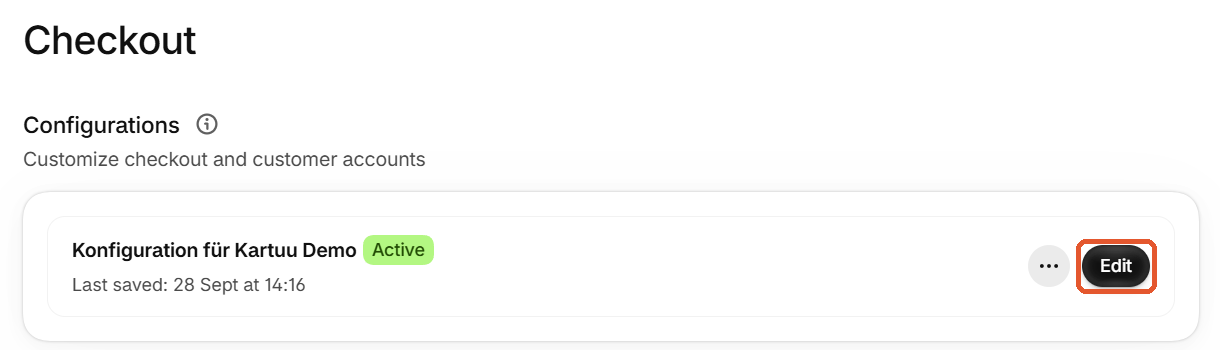
In Shopify, open Settings → Checkout and click Edit on your configuration. On Kartuu's home page, Open in Shopify on the item for the thank-you page takes you there.
-
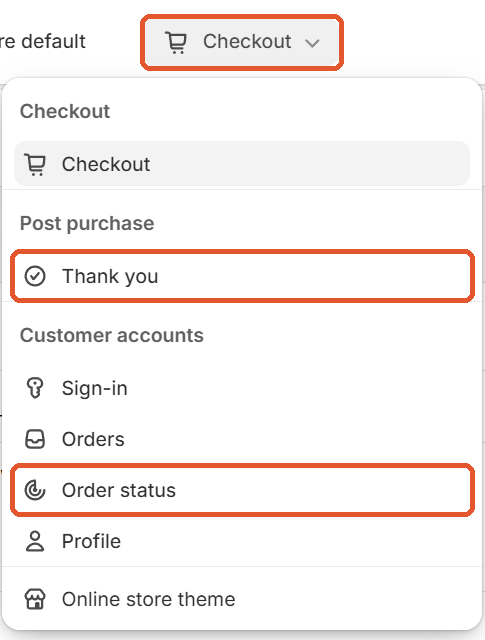
At the top centre, choose the Thank you page.
-
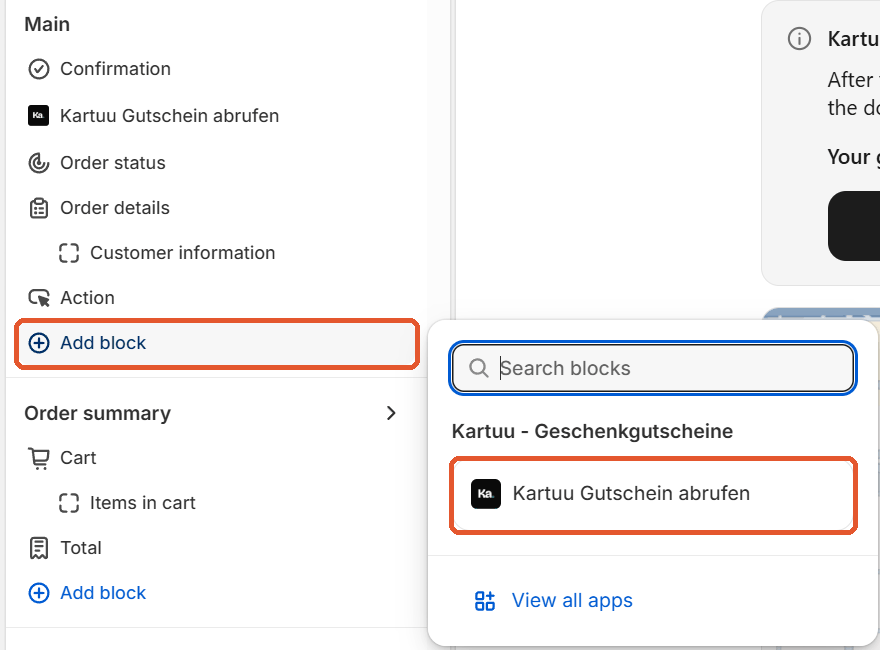
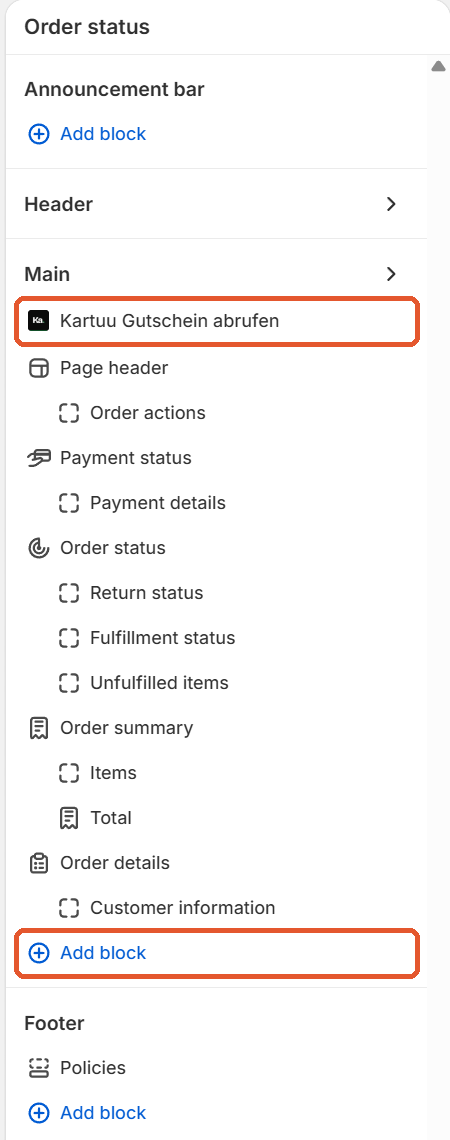
On the left, in the Main section, click Add block and pick Kartuu Gutschein abrufen. The block has this German name in every language.
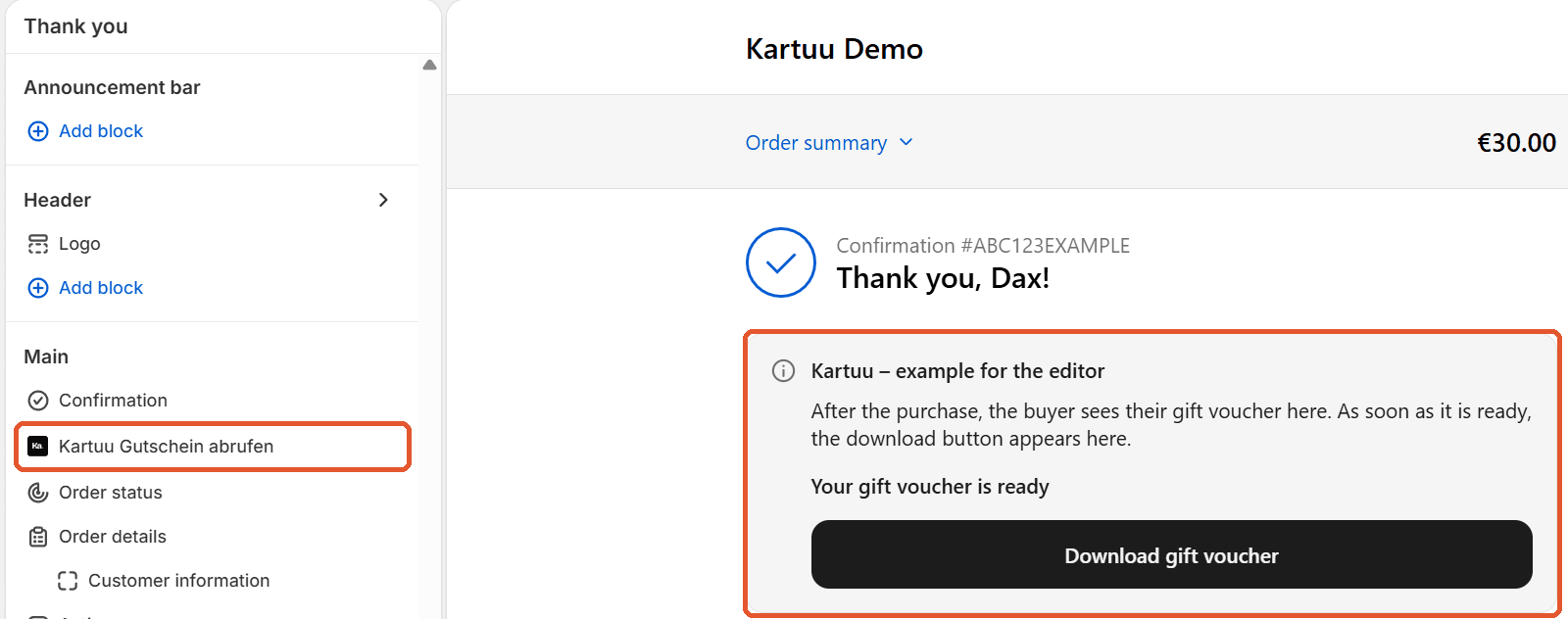
The block appears in the preview – with an example that only you see in the editor. You can drag it to another spot on the left, for example right below "Confirmation".
-
Switch to Order status at the top and add the block there the same way, in the Main section.
-
Click Save at the top right.

Then tick the item off on Kartuu's home page with Done.
The language of this block: you can't change its texts. It speaks your buyer's language: German if they shop in German, otherwise English. Unlike the block on the product page, there is no wording to override here.
All frequently asked questions
Your question isn't here? Write to us at support@kyth.systems