Frequently asked questions
Setting up
How do I make my vouchers available in my Online Store?
Kartuu creates your voucher products but does not publish them itself. Until a voucher is available in your Online Store, your customers can't see it – its product page says "Page not found".
- In Shopify, open the voucher under Products. The quickest way is from Kartuu's home page: on the item "Make your vouchers available in your Online Store", Open in Shopify takes you there.
-
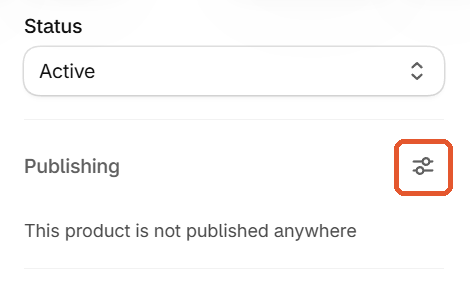
On the right, the Publishing section says "This product is not published anywhere". Click the icon with the sliders there.
-
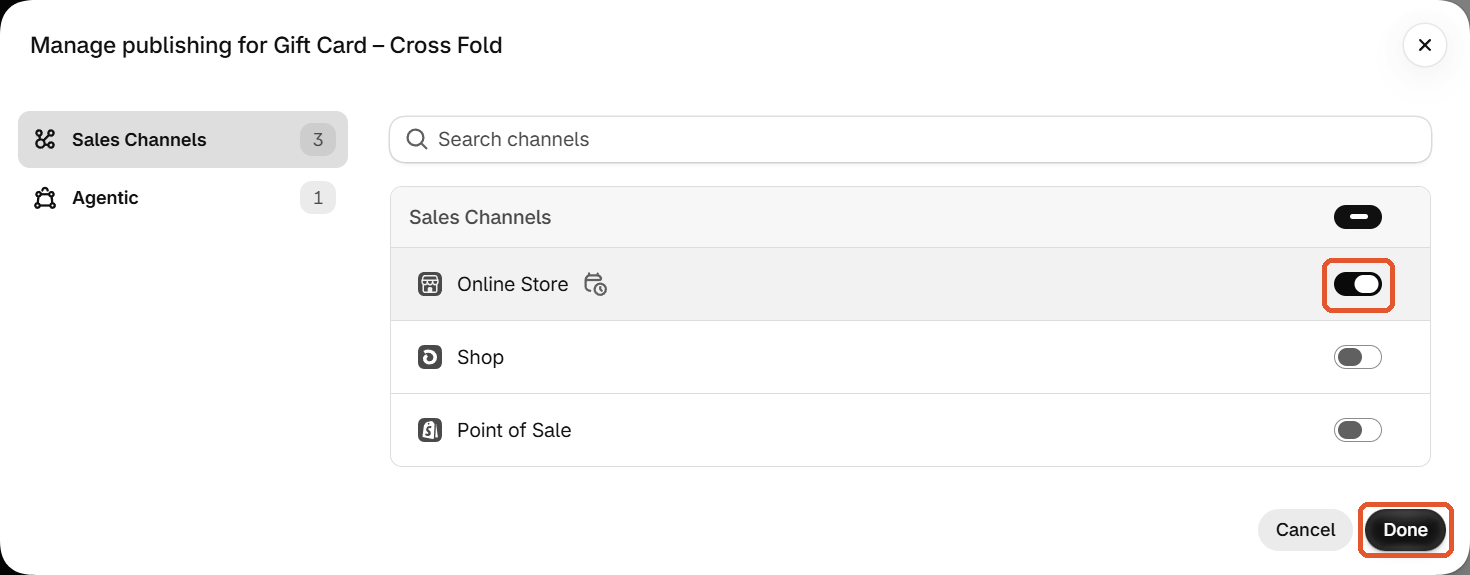
Turn on Online Store and click Done.
-
Click Save at the top – only then does it take effect.

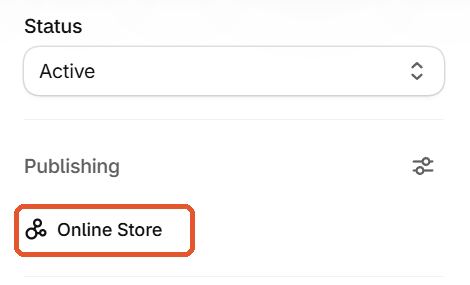
Afterwards, Publishing lists the Online Store:
If you created several vouchers, repeat this for each one. Kartuu checks by itself whether a voucher is published: under Publish it says so for each voucher (if it isn't, Make available in Shopify opens the product directly), and on the home page the item is done as soon as one is published. Only if Shopify doesn't tell at the moment do you tick it off there with Done.
All frequently asked questions
Your question isn't here? Write to us at support@kyth.systems