Frequently asked questions
Setting up
How do I set up email sending and the delivery date?
This is optional. Without email sending, your buyer downloads the voucher themselves. With email sending, your product page also asks for the recipient's email address and a delivery date, and Kartuu sends the card through your own mailbox straight to the recipient.
-
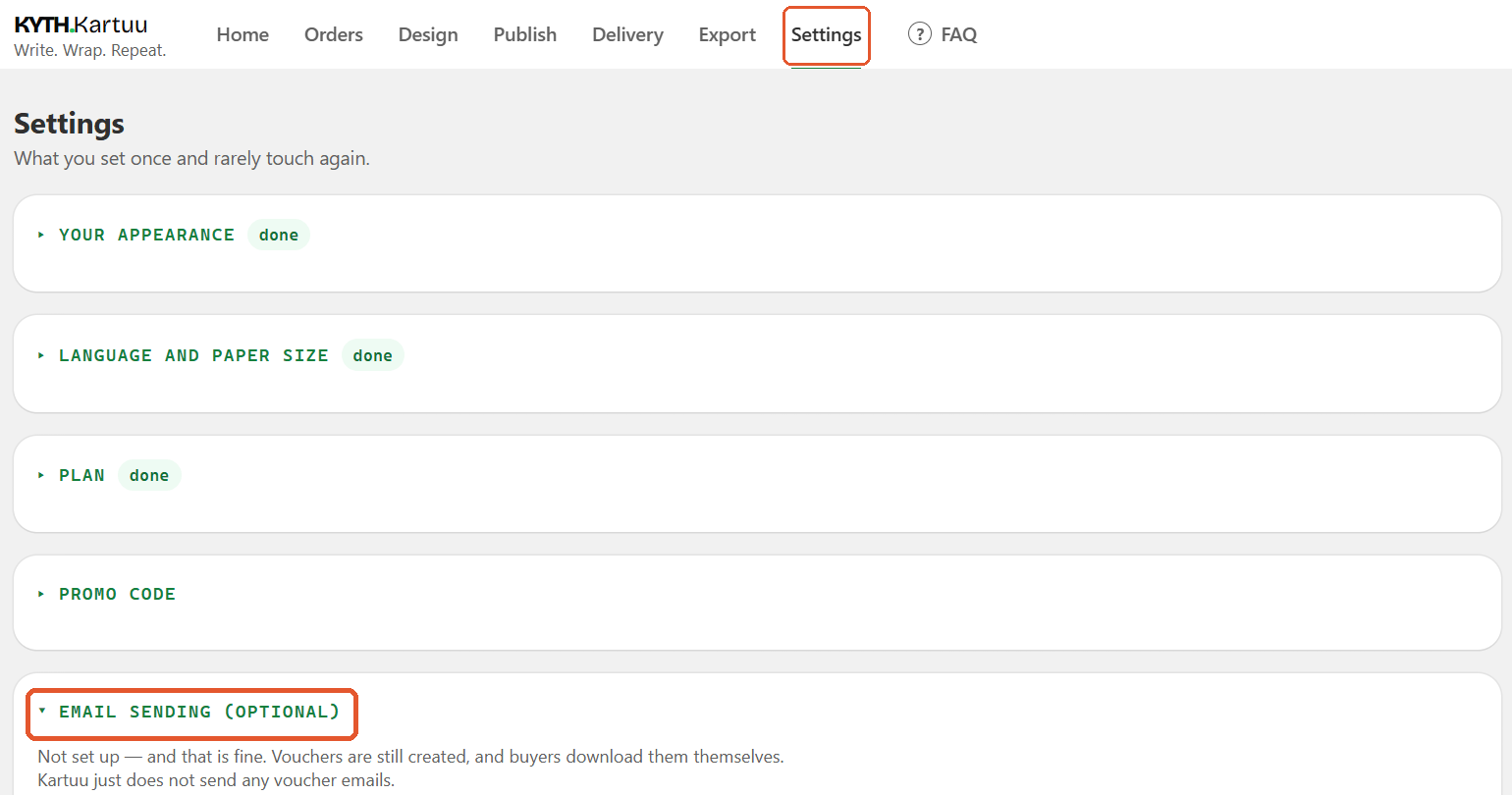
In Kartuu, open Settings and there Email sending (optional).
-
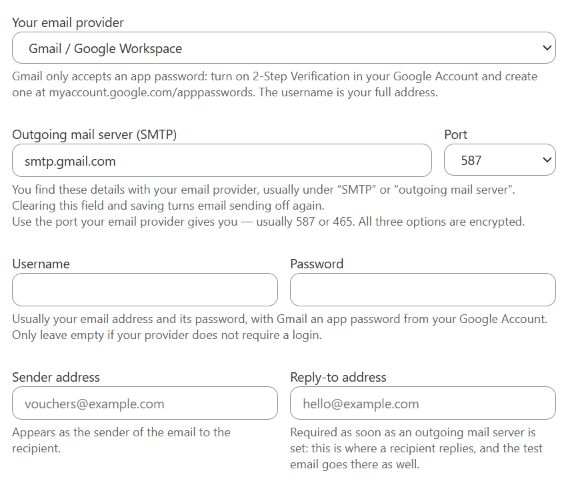
Pick your provider under Your email provider. Kartuu then fills in the outgoing mail server (SMTP) and port and tells you in one sentence what your provider needs – which ones are listed is under What do I need from my email provider?. If yours isn't listed, choose Other provider and enter the details yourself; you find them with your provider, usually under "SMTP" or "outgoing mail server". Add username and password, the sender address and the reply-to address. With Gmail, the password is an app password: you create it in your Google Account under Security, and 2-Step Verification has to be on for it. Gmail turns down your normal password. If your mailbox is at Microsoft 365, choose Microsoft 365 (business account) and click Connect with Microsoft – no password needed, see [My mailbox is at Microsoft
- How do I connect it?](?thema=start#mit-microsoft-verbinden)
-
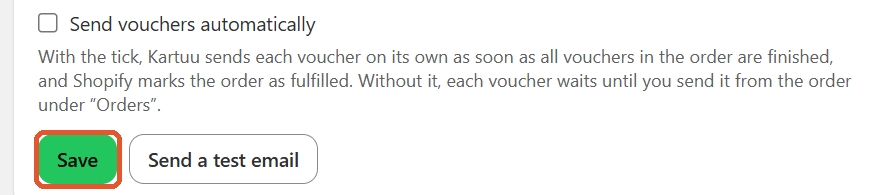
Tick Send vouchers automatically if every voucher should go out by itself: on the delivery date at 8 a.m., without a date as soon as it is ready. Without the tick, you send each order yourself under Orders. Then click Save. Kartuu signs in to your mail server with your details as it saves. If the server refuses, nothing is saved, and you see why. With Send a test email, Kartuu then sends a sample to your reply-to address – it shows that the whole way works.
-
From now on, your product page shows two more fields: the recipient's email address and the day the voucher should go out at the earliest. If you have accepted version 1.28 of the legal texts and ticked the box, the note below says “Leave empty and the voucher goes out right away.”
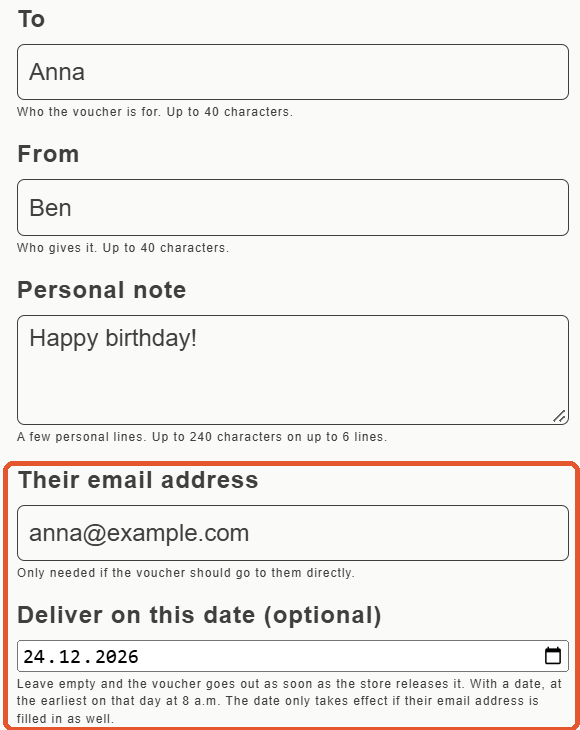
The date only takes effect if the buyer also enters the email address. More on this under Delivery in Can the buyer choose when the voucher arrives?.
All frequently asked questions
Your question isn't here? Write to us at support@kyth.systems